One-Tap Log
Tap "Log Shot" from the scoring screen and the GPS captures your position. Pick the club, done.
Tap Log Shot while you're scoring and we'll capture where you hit from. Pick the club from your bag, finish the hole, and the distance is calculated automatically. No stopwatch, no laser, no spreadsheet — just real data from real rounds.
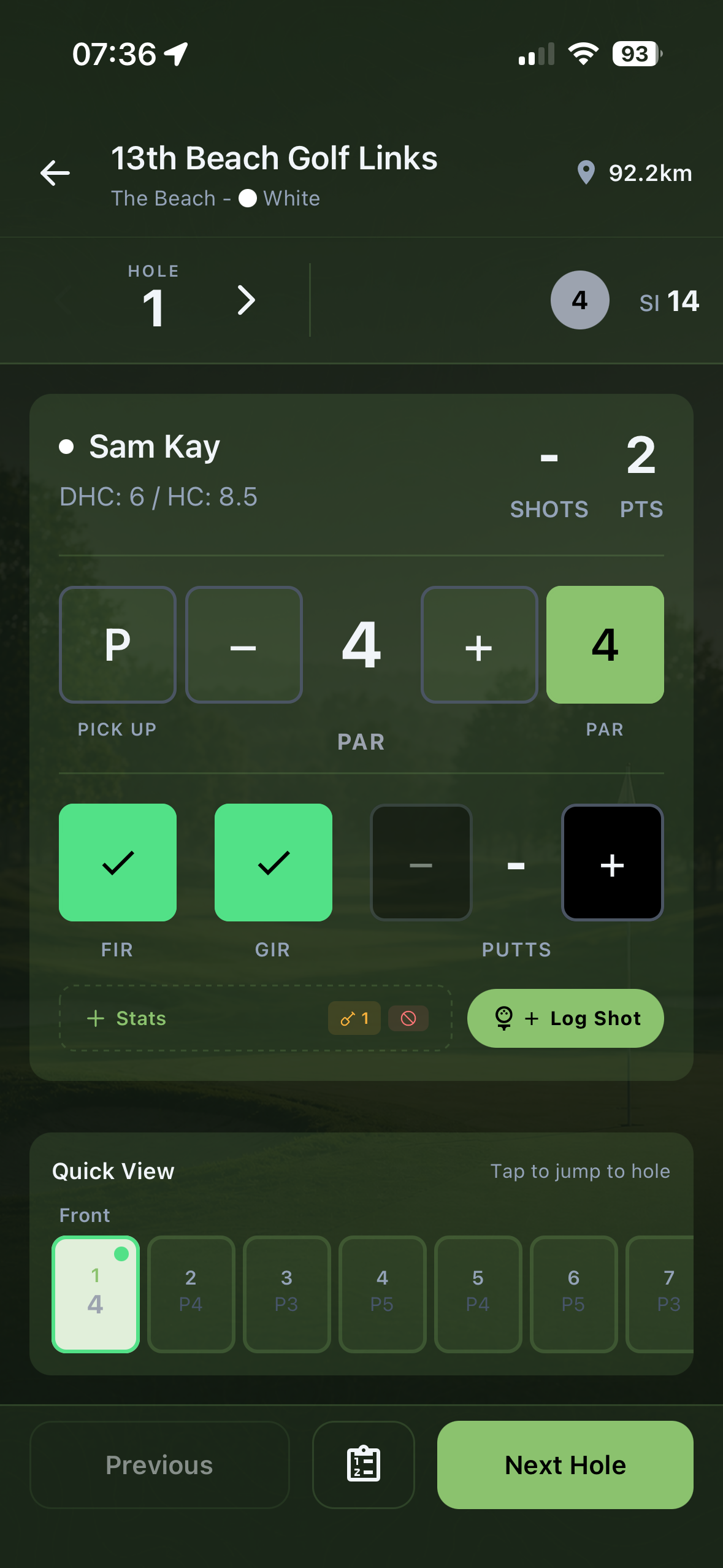
Drop a pin where you stood, pick the club, hit the shot. Distances are calculated from your GPS the moment you finish the hole.
Tap "Log Shot" from the scoring screen and the GPS captures your position. Pick the club, done.
Distance for each shot is calculated automatically once the hole is finished. No need to remember how far it went.
The club picker only shows clubs you carry. Two taps and the shot is filed against the right club every time.
Every shot you log lives on a Shots tab — sortable by hole, by club, by round. Browse without leaving the app.
Logged the wrong club? Edit any shot after the round. Mistakes never become permanent stats.
Every logged shot updates the average distance for that club. The more you log, the more accurate your yardages get.
Free to download on iOS and Android. Get your first comp set up before your next tee time.